Wireless voltage/current/temperature meter with LCD display VAC8010F 500V 100A




Wireless voltage/current/temperature meter with LCD display VAC8010F 500V 100A
Wireless data transmission between display and meter.
Measurement of voltage, current, power, capacity, and percentage of remaining battery capacity.
N.B.: Images are for illustrative purposes only; some colors or finishes may differ.
Technical specifications
| Self-powered input voltage range | 6~500V |
| External power supply Input voltage | 0~120 V |
| Current | 0~100A |
| External power supply voltage | 6-60V |
| Display method | 2.4-inch color LCD display |
| Voltage measurement range | 0~500V |
| Current measurement range | 0~100A |
| Capacitance measurement range | 0.001AH~65000.00AH |
| Energy measurement range | 0.000 KWH~9999 KWH |
| Time measurement range | 0~100 hours |
| Power value measurement range | 999KW |
| Temperature measurement range | 1~100℃ |
| Voltage accuracy | ±1%+2 |
| Current accuracy | ±2%+5 |
| Temperature accuracy | ±1.5℃ |
| Measurement rate | 5 times/sec |
Protection type and adjustment range
- OVP (overvoltage protection) 0.01 V~500 V
- LVP (low voltage protection) 0.01~500V
- OCP (overcharge current protection) 0-500 A
- NCP (discharge overcurrent protection) 0-500A
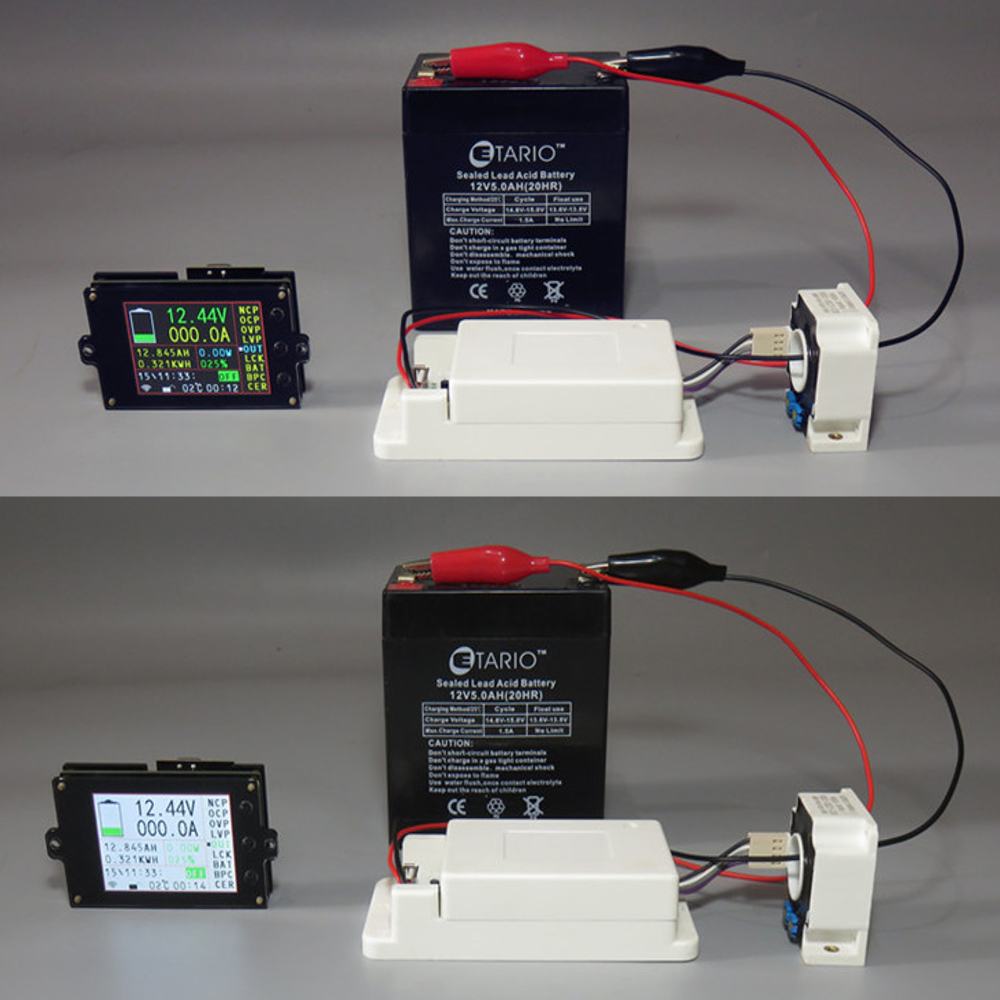
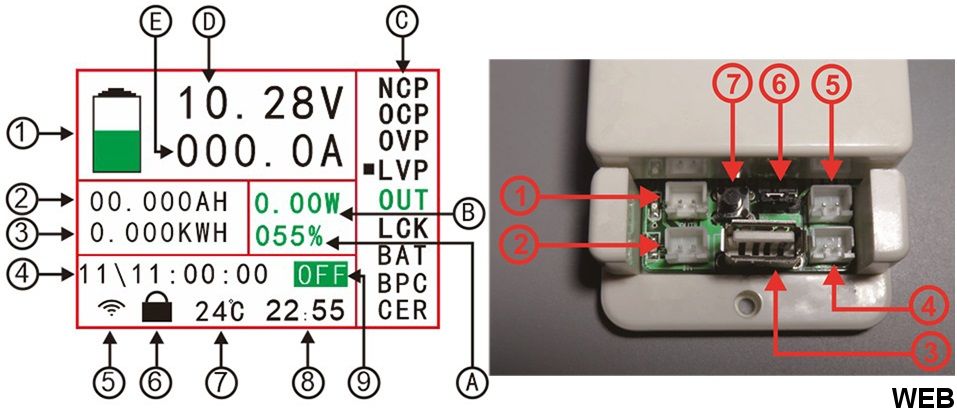
Display ranges
- 1 Bar graph of remaining battery capacity
- 2 Cumulative AH remaining
- 3 Cumulative energy
- 4 Time required to fully charge or discharge the battery (calculated based on charge and discharge current and capacity)
- 5 Wireless communication signal indication
- 6 Key lock indication
- 7 Real-time measurement of temperature values
- 8 Cumulative value of single running time
- 9 Output status display directory
- A Percentage of remaining battery capacity
- B Power value
- C Function options directory
- D Measured voltage value
- E Measured current value
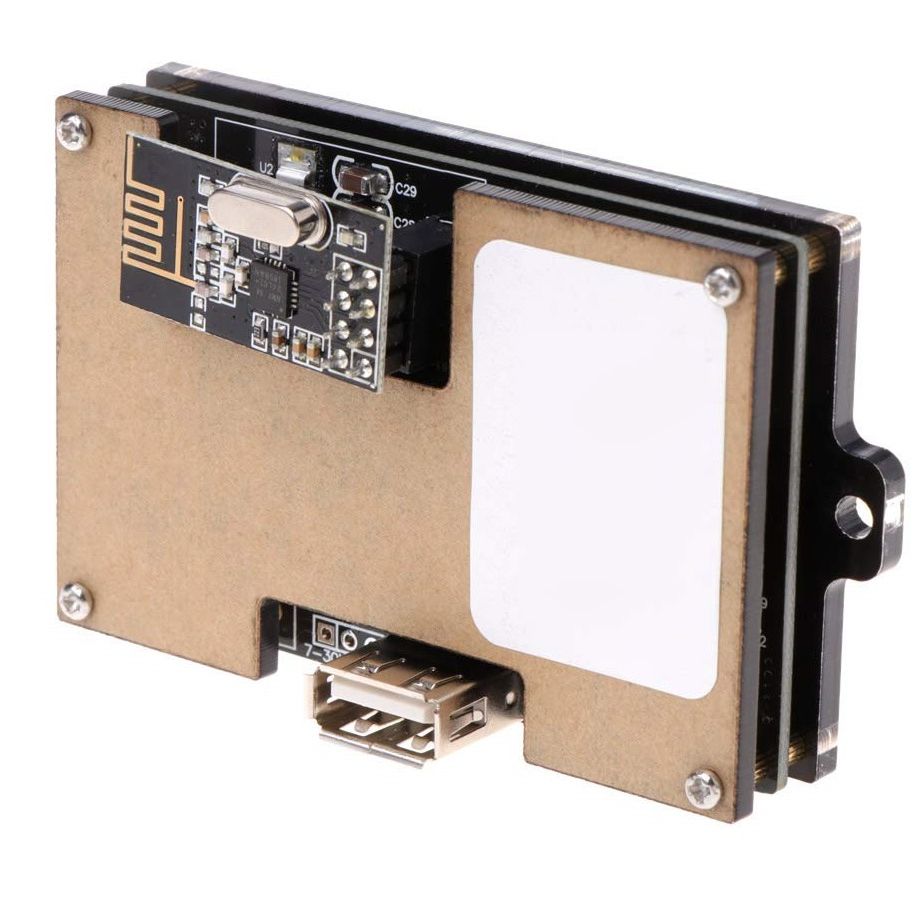
Description of the measurement card interface (image below, right side)
- 1 Discharge relay control interface
- 2 Charge relay control interface
- 3 USB 2.0 interface (can supply power to the display board)
- 4 Voltage measurement interface
- 5 External power supply interface
- 6 External power supply and self-power supply selection interface
- 7 Relay switch button
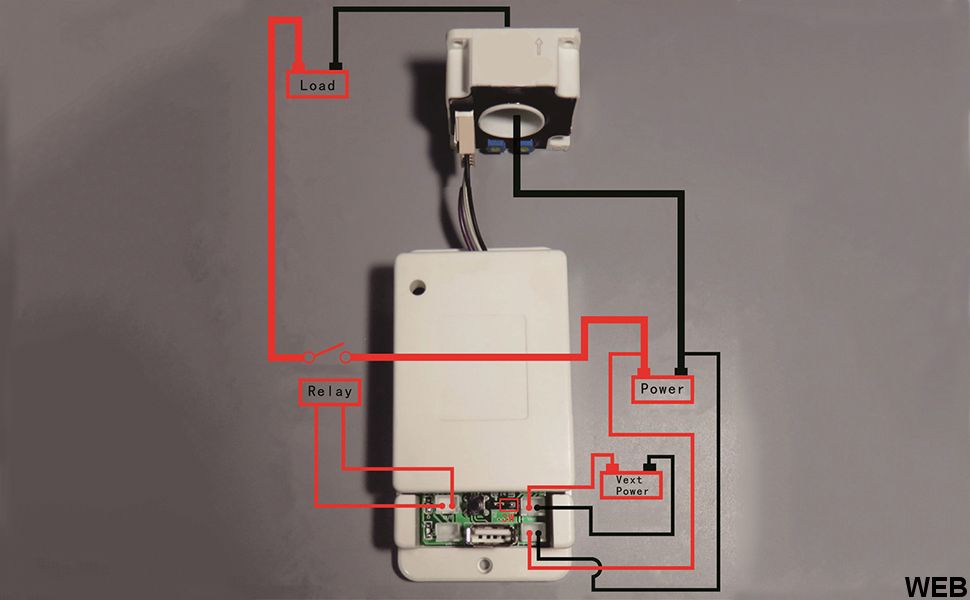
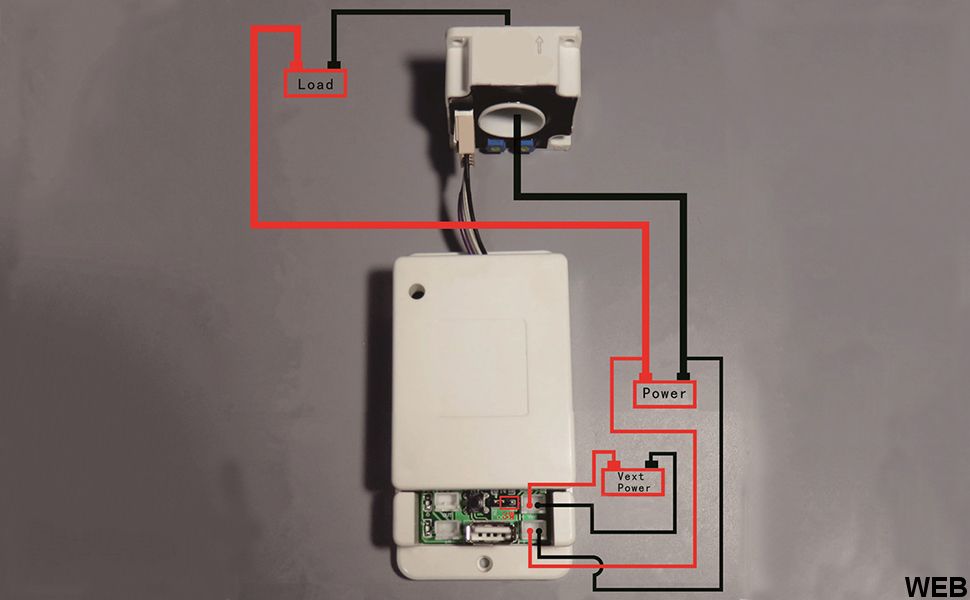
External power supply wiring diagram
Note: If the voltage range of the tested battery (power supply) does not work (6-80 V), you can use the external power supply wiring mode. First, set the jumper cap of the power supply selection interface to "3W" and the external power supply. Connect the positive and negative poles to "+Vext-", paying attention to "+" at the positive pole of the external power supply and "-" at the negative pole of the external power supply; then connect the positive and negative poles of the battery (power supply) to the "+Bat" voltage measurement socket. -", paying attention to "+" at the positive pole of the battery (power supply), "-" at the negative pole of the battery (power supply). Do not connect the positive and negative poles of the battery (power supply) to the positive pole of the load. Connect the positive pole of the battery (power supply) to the positive pole of the load. The negative terminal of the battery (power supply) is connected to the negative terminal of the load via the Hall sensor when it flows through the Hall sensor. When the direction of the current is the same as the direction of the Hall sensor's ignition arrow, the measured current will show a positive value, otherwise the measured current will show a negative value.
Charging relay wiring instructions
Note: The working power supply of the relay is provided by an external power supply. If the relay is connected, an external power supply with the same working voltage as the relay should be provided. Connect the relay control port to the charge controller interface. If you want to control the positive pole of the charge, pass the positive line through the relay. If you want to control the negative pole of the charge, connect the negative line to the relay. When the relay is connected, the "IN" indicator light is used. It will turn on and off as a reminder when disconnected.
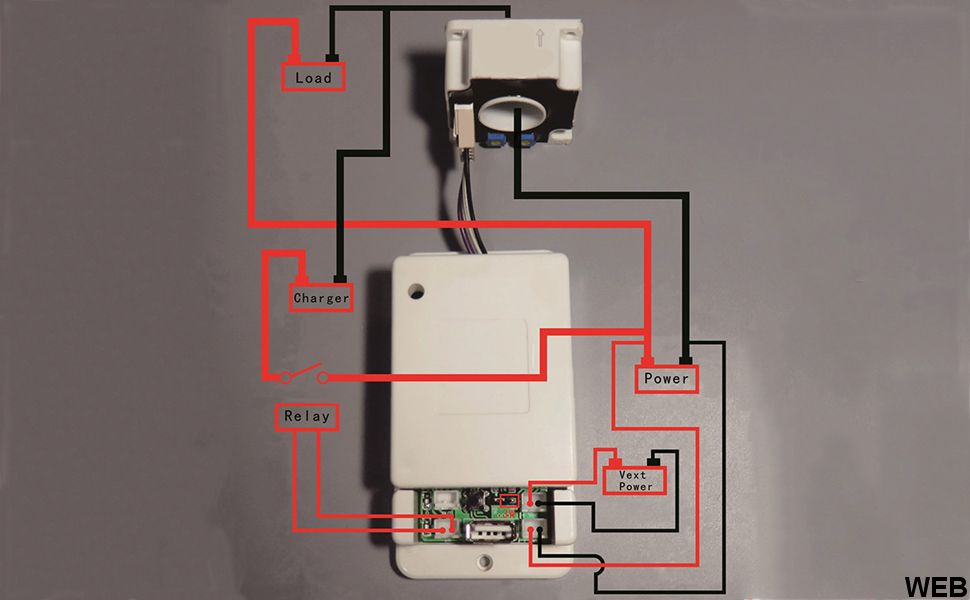
Instructions for wiring the discharge relay
Note: The working power supply for the relay is provided by an external power supply. If the relay is connected, an external power supply with the same working voltage as the relay should be provided. Connect the relay control port to the discharge controller interface. If you want to control the positive pole of the discharge, pass the positive line through the relay. If you want to control the negative pole of the discharge, connect the negative line to the relay. When the relay is connected, the "OUT" indicator light turns on and turns off as a reminder when disconnected.